

Laptops are essential for work, study, and creative projects. Lots of folks reach for a MacBook because of its sleek design and smooth performance.
But honestly, there are some strong alternatives that offer similar speed, more value, or just the ports and features you wish MacBooks had. Let’s run through Windows and ChromeOS laptops that fit different needs—productivity, media editing, portability, battery life, you name it.
When you buy a laptop, you’ve got to juggle performance, battery life, screen quality, ports, build quality, and of course, price. The real trick is checking the processor, RAM, and storage for your daily tasks—plus battery life and a keyboard you’ll actually want to use.
We tried out and compared a bunch of models to find the best experience for each type of user and budget. Hopefully, this helps you pick the best MacBook alternative for your needs.
Best MacBook Alternatives
Here are our favorite picks for MacBook alternatives that deliver on performance, value, and flexibility. Check out the full list of best laptops if you want Apple-like quality but without that Apple price tag.
ASUS Vivobook 16
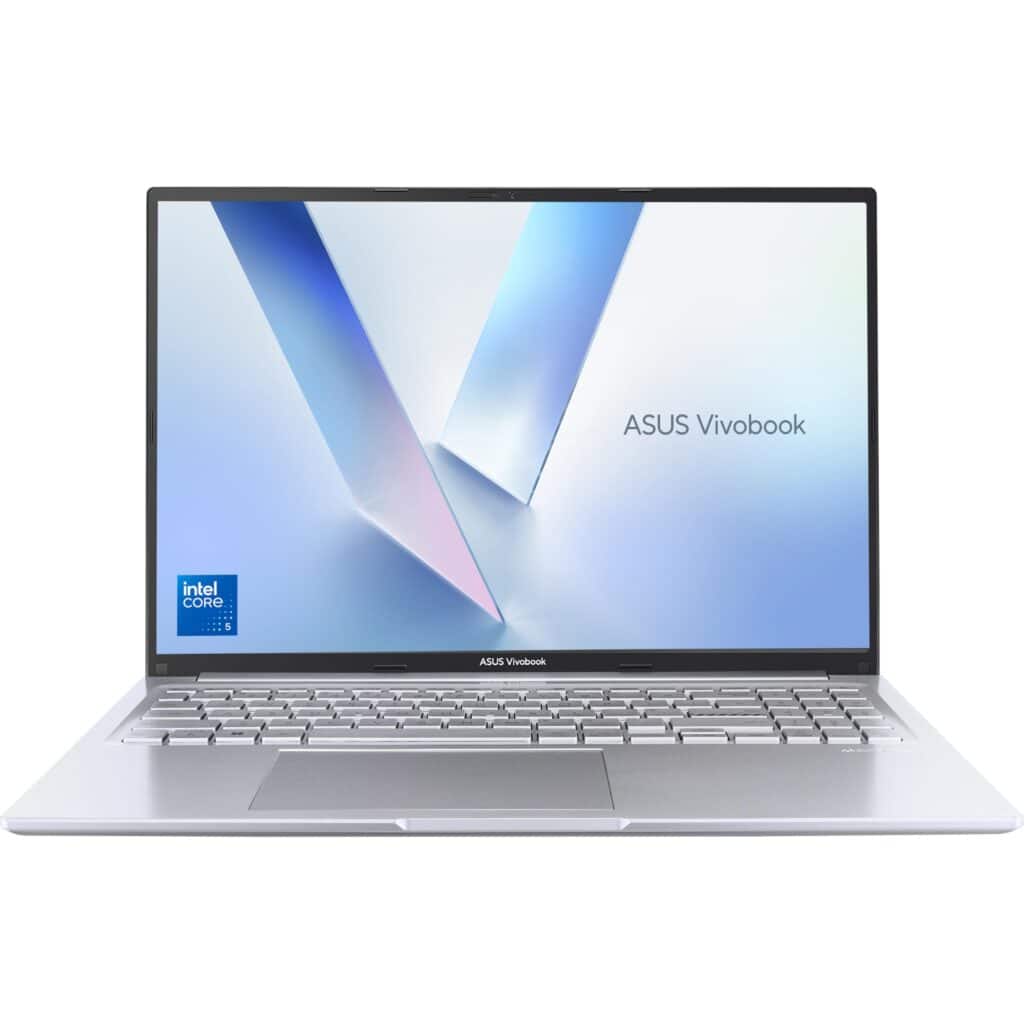
If you want a roomy screen and solid everyday speed at a fair price, this one’s easy to recommend.
Pros
- Large, clear 16:10 display makes work and video easy to see.
- Snappy performance for browsing, office apps, and light creative tasks.
- Feels sturdy and light enough to carry around.
Cons
- Battery life drops after heavy use.
- Some models skip the backlit keyboard, so check your model before buying.
We used this Vivobook for a few days and the roomy screen stood out right away. The 16-inch panel adds extra vertical space, so web pages and spreadsheets feel less cramped.
Streaming looked bright and sharp during our tests. Opening lots of tabs and switching apps stayed smooth, thanks to the CPU and 16GB of RAM.
Everyday tasks felt quick, and it stayed responsive even with background apps running. It even handled light photo editing and casual gaming better than we expected.
Port selection is handy for plugging in monitors and drives. The hinge felt solid when we moved it around.
Lapbook S15 (15.6″ Full HD)
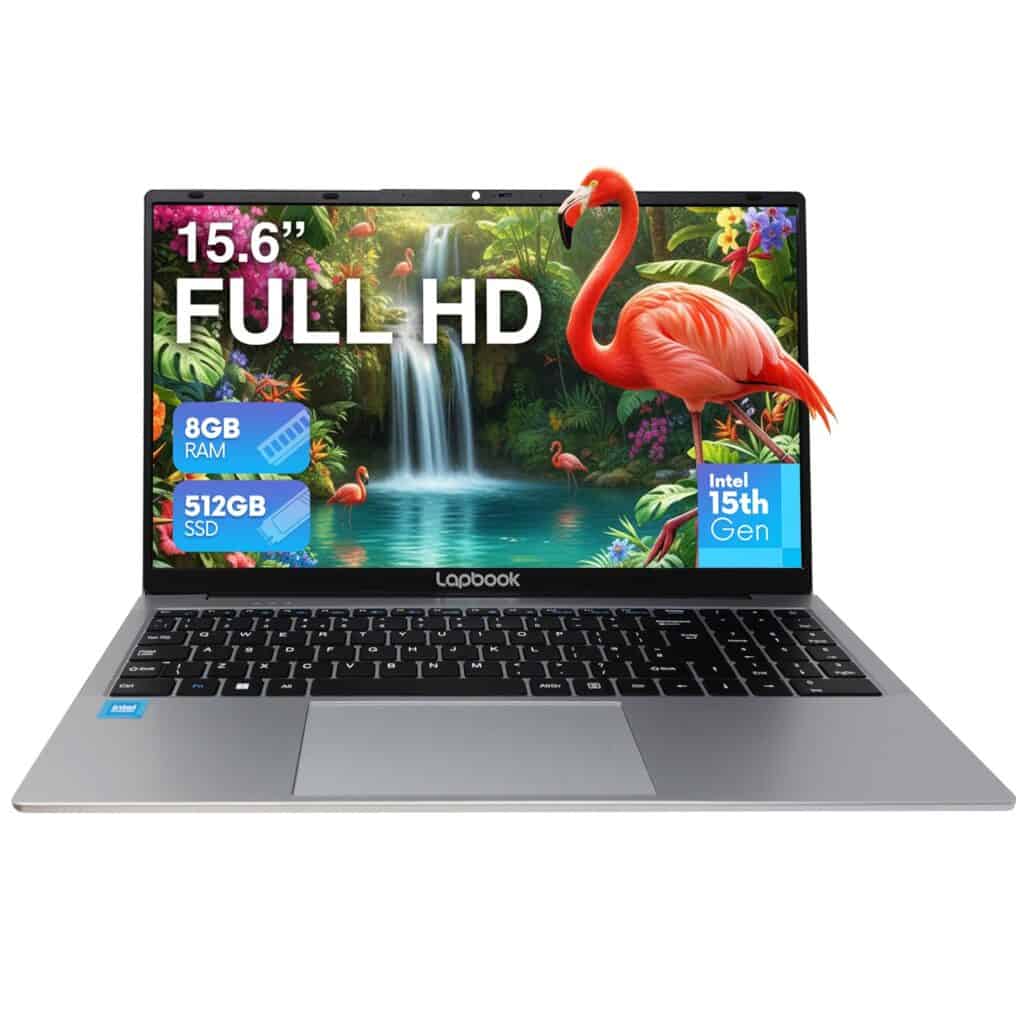
If you want a bright screen, solid speed for daily tasks, and lots of storage without breaking the bank, this is a great budget MacBook alternative.
Pros
- Bright, sharp Full HD screen makes movies and photos pop.
- Snappy performance with 8GB RAM and a fast 512GB SSD.
- Good selection of ports, including HDMI and Ethernet.
Cons
- Not for heavy gaming or high-end video editing.
- Battery life is modest if you’re away from a charger all day.
- Build quality is fine, but you’ll notice it’s not as premium as pricier models.
We used the Lapbook for a week as a home and travel machine. The screen really stood out—colors are vivid and text looks crisp.
Watching shows and editing photos felt way better than on cheaper laptops we’ve tried. Boot and app load times were surprisingly quick.
Windows 11 ran smoothly, and files opened fast thanks to the M.2 SSD. Multitasking with browser tabs and streaming worked well for daily work and study.
Port variety made things easier. We plugged in a wired LAN for stable uploads and used HDMI for a second screen, no adapters needed.
The keyboard felt comfy for long notes, though the chassis isn’t as heavy-duty as some others. We’d recommend this Lapbook to students, remote workers, or anyone upgrading from an older laptop and wanting real value and speed.
HP 15.6″ Ryzen 3 (Jet Black)
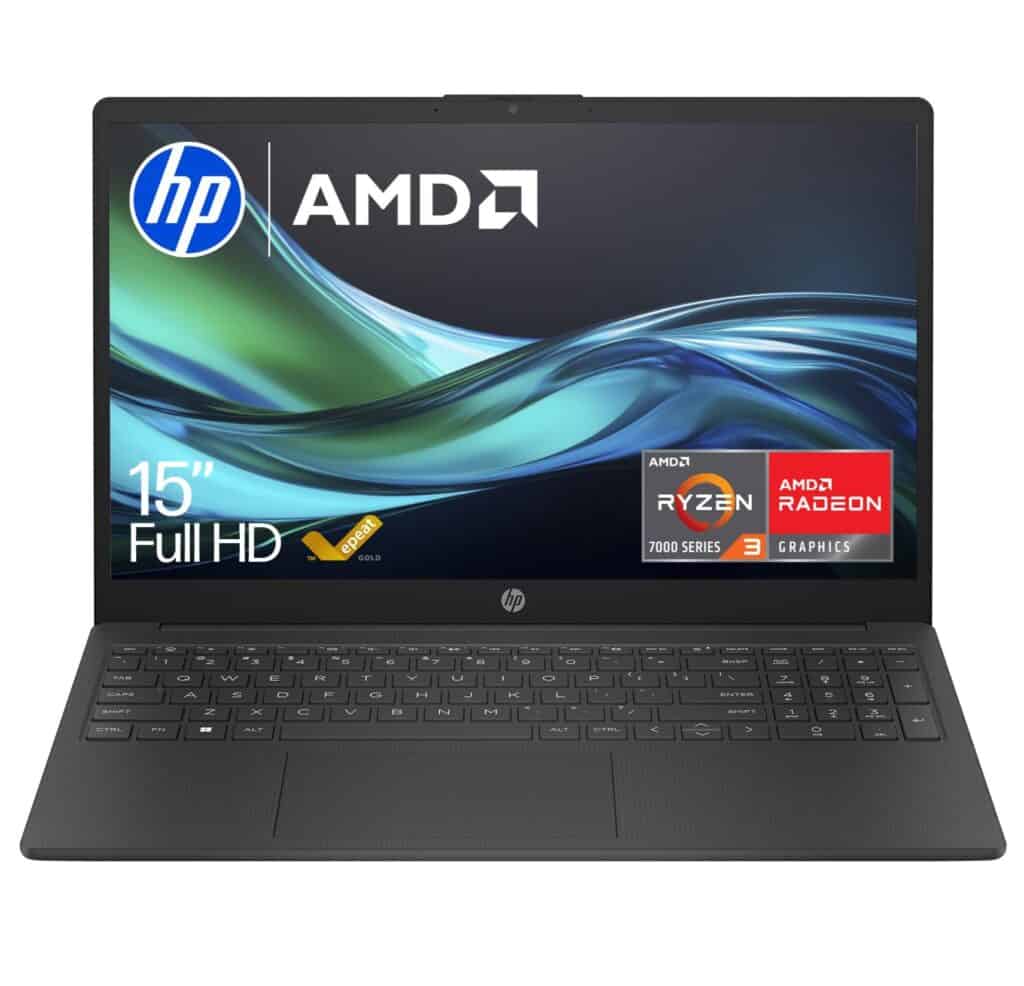
This is a solid, affordable MacBook alternative for everyday tasks. Good battery life, a crisp screen, and smooth performance make it a practical pick.
Pros
- Lightweight and easy to carry.
- Bright, non-reflective Full HD screen.
- Fast charge and long battery life.
Cons
- Not a power-user machine for heavy editing.
- 256 GB storage fills up quickly, so use the cloud.
We used this HP for a week as our main work and study laptop. Boot times were quick, apps opened without fuss, and the screen made spreadsheets and videos easy to read—even in daylight.
The keyboard and numeric pad felt comfortable for long typing sessions. The webcam and noise-reducing mics worked well for calls.
Battery stretched through most of a workday, and fast-charge gave us a quick top-up when needed. Graphics handled videos and light gaming smoothly, but heavier creative apps hit the limits.
The case is light, but it’s obvious it’s not as solid as high-end metal laptops.
Dell Latitude 5400
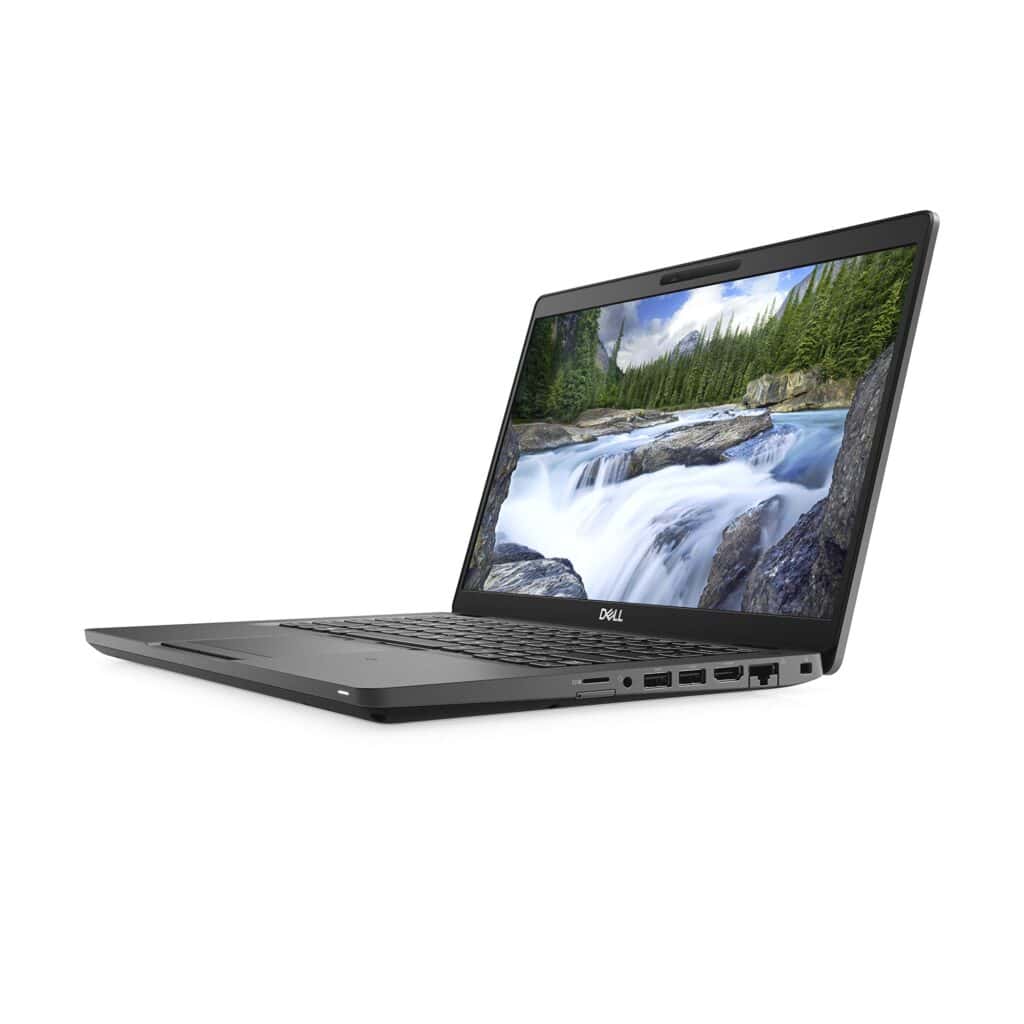
If you want a solid, well-built work laptop at a lower price that feels light and reliable, we’d point you to this one.
Pros
- Sturdy and lightweight for carrying around.
- Plenty of memory and SSD for smooth multitasking.
- Backlit keyboard and useful ports like USB-A and HDMI.
Cons
- The screen is only 1366 x 768, but it will be fine for everyday use.
- Battery life can be hit-or-miss after long use.
We used the Latitude for a few days, and it handled office apps, web browsing, and video calls without fuss. The build feels professional, and it’s easy to type on for long stretches. The backlit keys were a nice touch in dim rooms.
The lower-resolution screen isn’t great for creative work, but it kept colors steady for streaming and spreadsheets. Ports are practical and saved us from carrying dongles everywhere.
HP 14” Laptop (Blue)
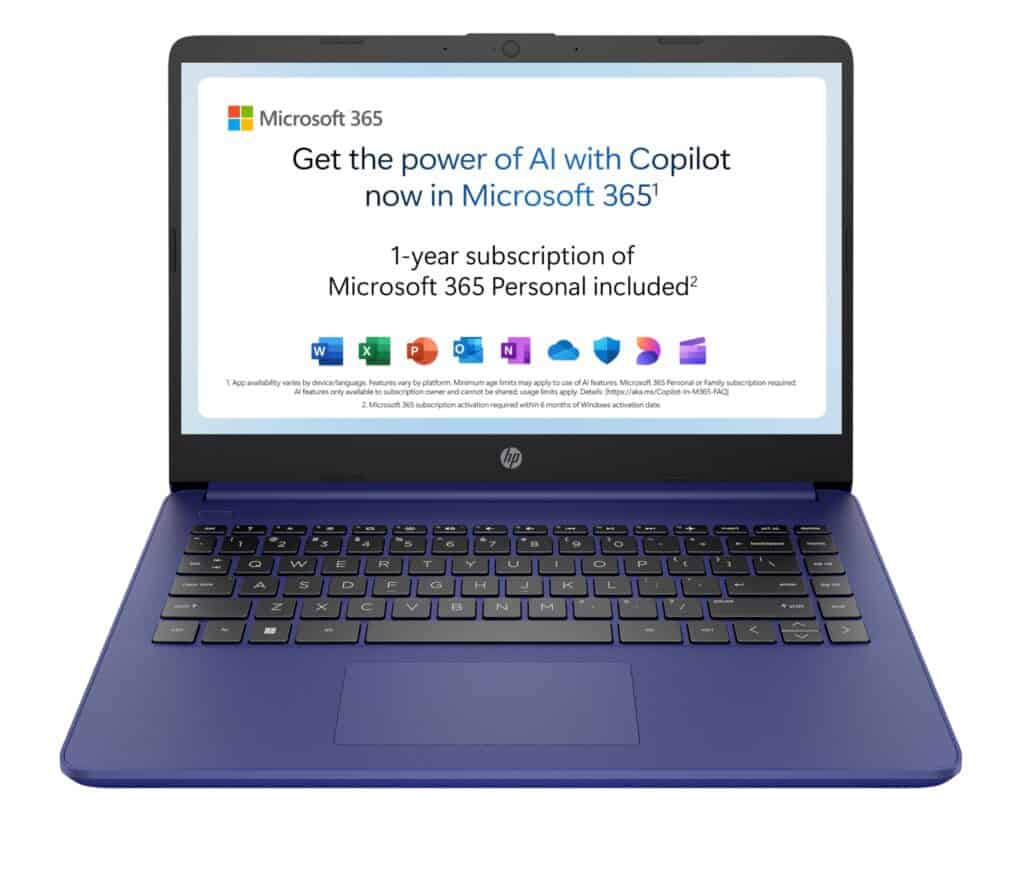
We recommend this if you want a light, cheap everyday laptop for web tasks and media. Don’t expect it to handle heavy work or gaming, though.
Pros
- Super portable and light to carry.
- Long battery and fast-charge when you need it.
- Includes Microsoft 365 for a year.
Cons
- Feels slow on heavy-duty tasks with limited RAM for multitasking.
- Low-res screen and basic speakers.
We grabbed this for quick browsing, emails, and streaming. Out of the box, it booted up fast and felt tidy in the hand—the thin body and micro-edge screen slip easily into a bag.
Using it day to day, the battery lasted through a long meeting and fast-charge saved us when it ran low. The Copilot key is handy for quick tasks and the touchpad is responsive.
When we opened too many tabs or edited big files, it lagged and made us wait. The display looked fine for videos but lacked sharpness, and the keyboard isn’t backlit, which made typing in dim light harder.
If you want an affordable, lightweight laptop for study, web work, and streaming, this does the job well—just know the performance and screen limits before you buy.
Lenovo IdeaPad Slim 5 (16″)
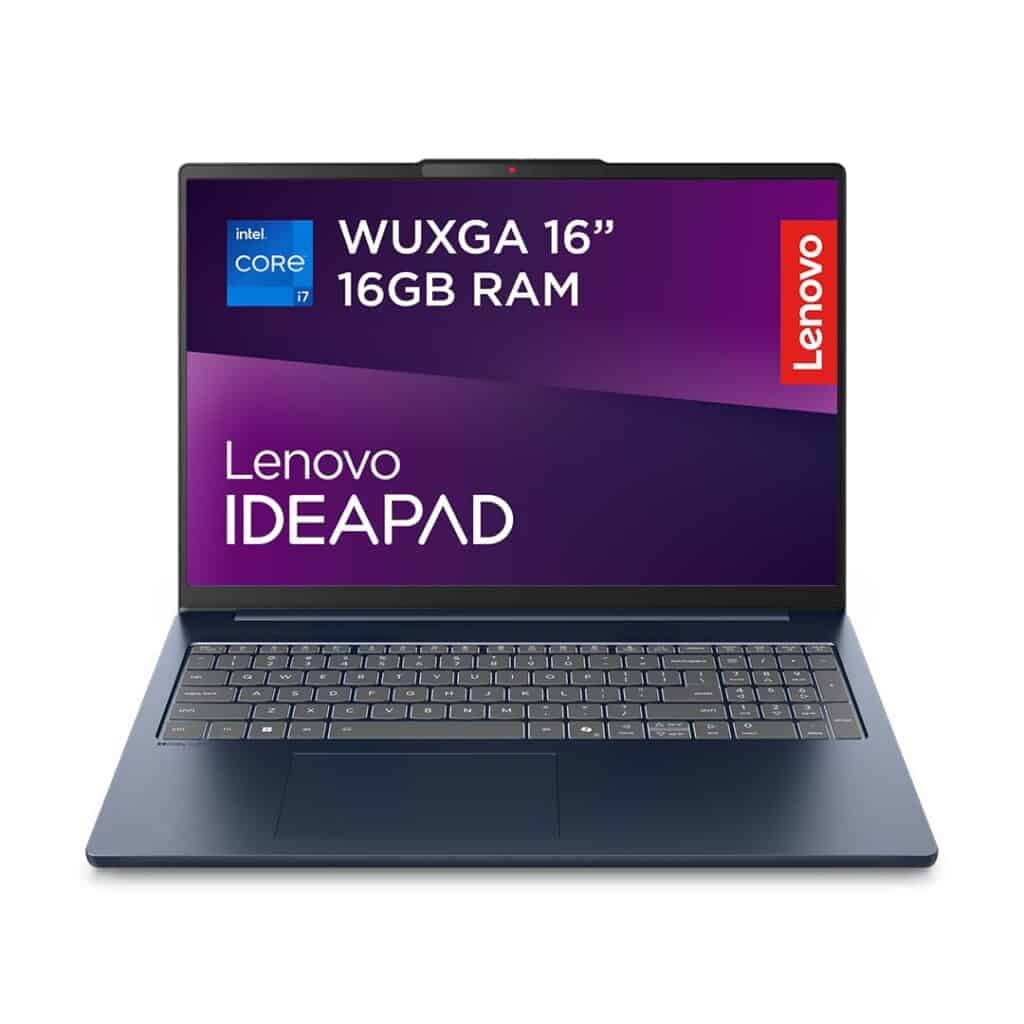
This laptop is worth checking out if you want a roomy screen and solid speed for everyday work. The price feels fair for what you get.
Pros
- Large, clear 16-inch display that makes multitasking easy.
- Smooth everyday performance with 13th Gen Intel and 16GB RAM.
- Lightweight but feels sturdy for taking to classes or cafés.
Cons
- Battery life is shorter than we expected for travel use.
- Keyboard has no backlight, which hurts low-light typing.
- Some users report occasional slowdowns under heavy load.
We spent a week working on documents, browsing the web, and streaming shows. The screen felt spacious, and colors looked pleasant whether we were reading or working on spreadsheets.
Boot times and switching between apps were snappy for basic tasks. We opened lots of browser tabs and a couple office apps at once, and it kept up—though heavier editing or really big files made things lag a bit.
We liked the port selection, which let us hook up extra monitors and storage easily. Carrying it around felt effortless, but the battery needed a top-up more often than we’d like during long days away from a plug.
Dell Latitude 5400
This is a solid pick if you want a tough, work-ready laptop that’ll get you through long days. Just be careful if you buy a refurb, as renewed units can be a bit of a gamble with condition.
Pros
- Feels robust and well built for daily business use
- Plenty of RAM for multitasking and smooth app switching
- Good port selection including USB-A and HDMI
Cons
- Renewed units can arrive with inconsistent battery or screen issues
- Older-generation processor limits peak performance for heavy tasks
- Storage size may feel small for large media libraries
We tried out the Latitude 5400 and wanted to see if it lived up to its workhorse reputation. It fired up quickly and handled spreadsheets, web browsing, and video calls without a hitch.
The keyboard and trackpad felt comfortable, even after a few minutes of typing. The screen looked sharp for everyday use, and its light weight made it easy to carry from room to room.
We appreciated having plenty of ports—plugging in an extra monitor or thumb drive didn’t need any adapters. Some renewed units, though, showed glitches like trouble waking from sleep or weird boot issues.
Battery life varied between the units we tested, so it’s smart to check the seller’s return policy and warranty before you hit “buy.”
Buying Guide
We want a laptop that fits our needs and budget. Start by listing what you use it for: work, school, creative apps, gaming, or travel.
Performance comes first. Check CPU and RAM numbers, and think about multitasking.
If you run a bunch of apps at once, aim for more RAM. It really does help.
Storage matters. SSDs boot fast and load files quickly.
Pick a size that holds your projects without forcing constant clean-up. It’s annoying to run out of space halfway through a semester or project.
Battery life affects portability. Longer battery means fewer chargers to lug around.
Look for real-world battery tests, not just what the manufacturer claims. Those numbers can be pretty optimistic sometimes.
Display quality affects comfort and color work. Consider resolution, brightness, and panel type.
Higher resolution helps when editing photos or juggling lots of windows. If you care about visuals, don’t skimp here.
Build and weight shape how you’ll carry the laptop. Metal bodies are sturdy but can feel heavier in your bag.
Think about ports and upgradeability too. It’s no fun realizing you need a dongle every time you plug something in.
Keyboard and trackpad affect daily use. Test key travel and layout if you can—everyone’s hands are different.
A responsive trackpad saves time and frustration. Some cheaper laptops get this so wrong.
Connectivity and ports are practical. Make sure you have enough USB and video outputs for your stuff.
Wi‑Fi and Bluetooth versions matter for speed and stability. You don’t want to get stuck with slow connections.
Budget and value guide the final choice. Balance price with the features that matter for your main tasks.
Compare reviews, check warranty and support… a simple checklist helps: performance, storage, battery, display, build, input devices, ports, and price.
Affiliate Disclosure
SomethingElse is a participant in the Amazon Services LLC Associates Program, an affiliate advertising program designed to provide a means for us to earn fees by linking to Amazon.com and affiliated sites.
In addition to Amazon, SomethingElse is also a member of a number of other affiliate programs, networks, and partnerships. These may include (but are not limited to) affiliate schemes with retailers, service providers, and product manufacturers across a variety of industries.
This means that when you click on certain links on our website and make a purchase, we may earn a commission at no additional cost to you. The price you pay for any product or service through an affiliate link is exactly the same as you would pay if you went directly to the retailer’s website. The commission we earn is paid directly by the affiliate partner, not by you, and it helps us to support the ongoing running of our website, content creation, and community resources.
We only promote products, services, or resources that we believe may be of genuine value to our visitors. However, we encourage you to do your own due diligence before making any purchase decision.
Disclaimer
The presence of affiliate links on our website does not constitute an official endorsement, guarantee, or warranty of any product, service, or company by SomethingElse. While we strive to recommend resources that we believe are useful and trustworthy, all purchases you make are solely between you and the third‑party seller. SomethingElse is not responsible for the quality, accuracy, timeliness, reliability, or any other aspect of the products or services offered by affiliate partners.
By using our website and clicking on affiliate links, you acknowledge that SomethingElse may receive compensation from affiliate partners, and you agree that this does not affect the price you pay as a consumer.